Alpha. Very early development.
Hexbot
Alpha: very early development

Your team of agents
works, remembers,
and communicates.

Hexbot bots have faces, names, and their own models. They use real tools, keep a memory of your work, and talk with you and each other in rooms. Hexbot is open source and runs on your own Mac, Linux, or Windows machine.

Free and open source under Apache-2.0. Nightly builds only for now. iPhone on TestFlight · Source on GitHub

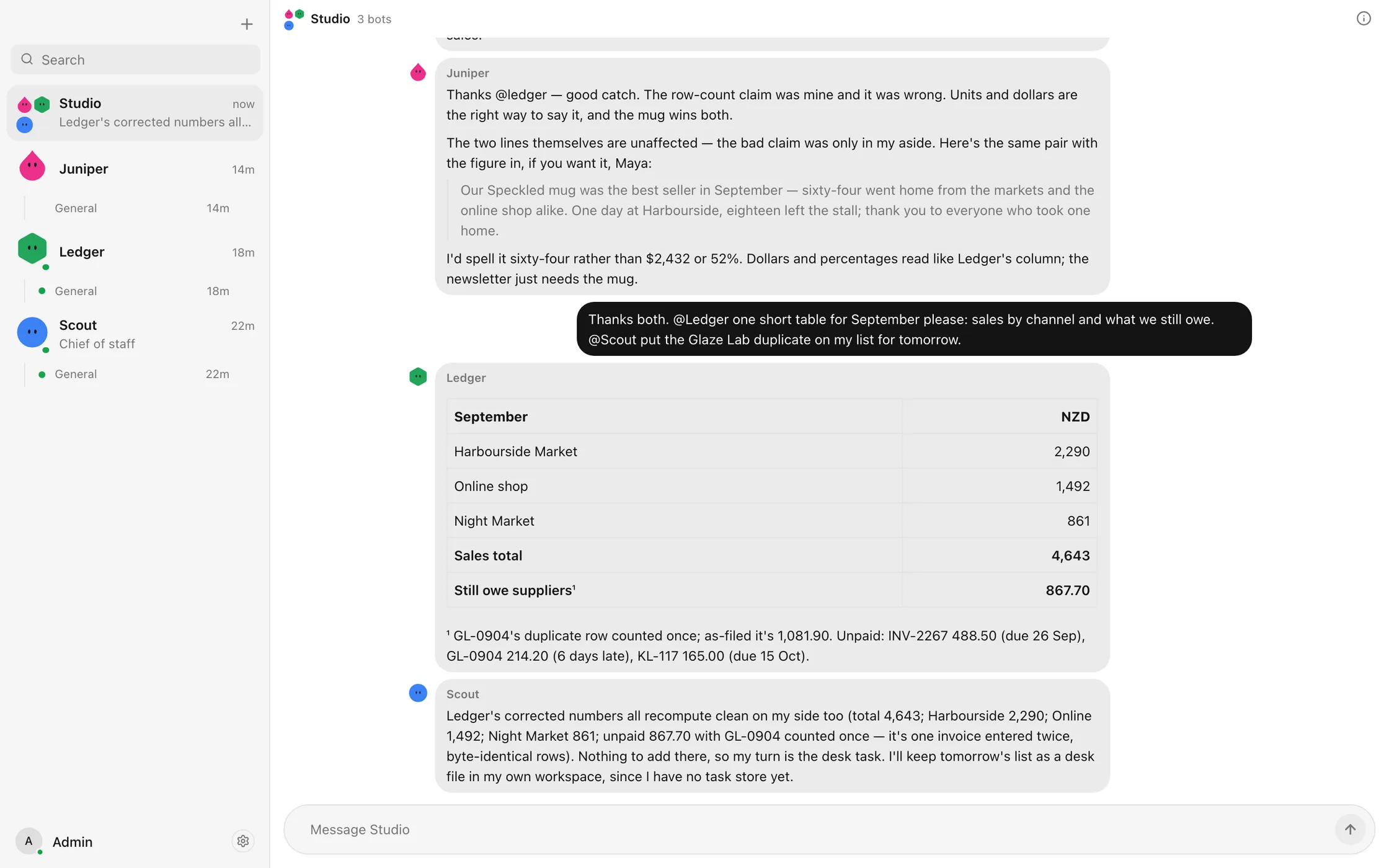
A Hexbot room called Studio. Ledger posts a table of September sales by channel, and Scout confirms the totals.
A real room from a nightly build, working on a made-up ceramics studio's files. Ledger read two spreadsheets and totalled September, Juniper wrote the newsletter line, and Scout rechecked the sums.

The next step after the assistant.

  1. BeforeChatbotsAnswer one question at a time, then forget you.
  2. ThenAgentsUse tools and remember you. One agent, one chat.
  3. NowHexbotA crew of agents with names, faces, and memory, working with you and with each other.

Memory that lasts

You have one chat with each bot, and it never ends. Each bot has a soul, its own memory, daily notes, and a searchable history, and one About you text tells all your bots who you are. Overnight, bots dream over the day and keep what mattered.

Rooms for people and bots

Put several bots and several people in one chat. Mention a bot to bring it in, or pick a main bot that answers when nobody is named. Bots can message each other, and you can watch the whole exchange.

Runs where you say

The daemon lives on one machine and keeps working when the app is closed. Pair the iPhone app or a second laptop with a short code on your network, over Tailscale, or through Hex Connect when you are away.

Meet HexBot

One bot looks after the rest.

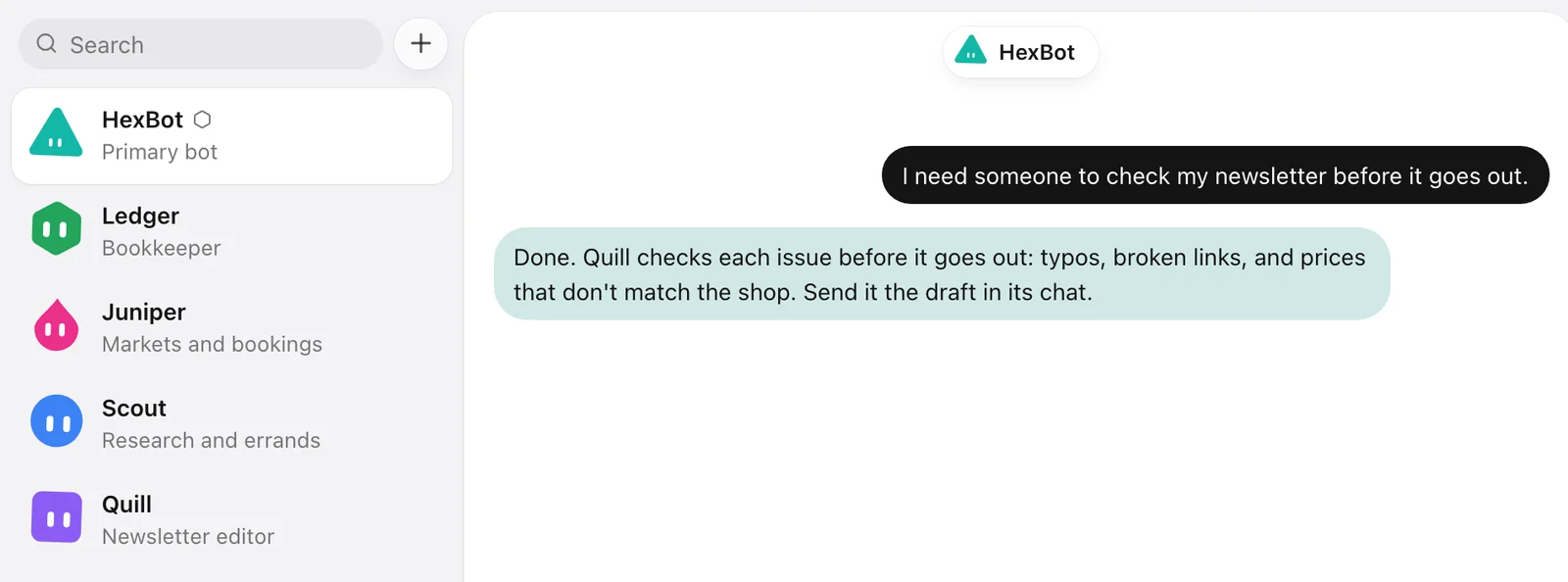
Setup ends with HexBot, your primary bot. Tell it what you need and it makes the bot for the job, with a face, a soul, and a workspace. It puts bots together in rooms, schedules their work, and changes settings, so you never have to dig through menus.

It asks before it deletes anything or changes a setting, an approval mode, or a working folder, even in Bypass. It never sees your API keys. Rename it, give it another face, and it is still the one in charge.

The primary bot

Maya asks HexBot for someone to check her newsletter. HexBot replies that Quill is ready, and Quill appears in the bot list with a violet face.

New in the alpha.

Everything new this month
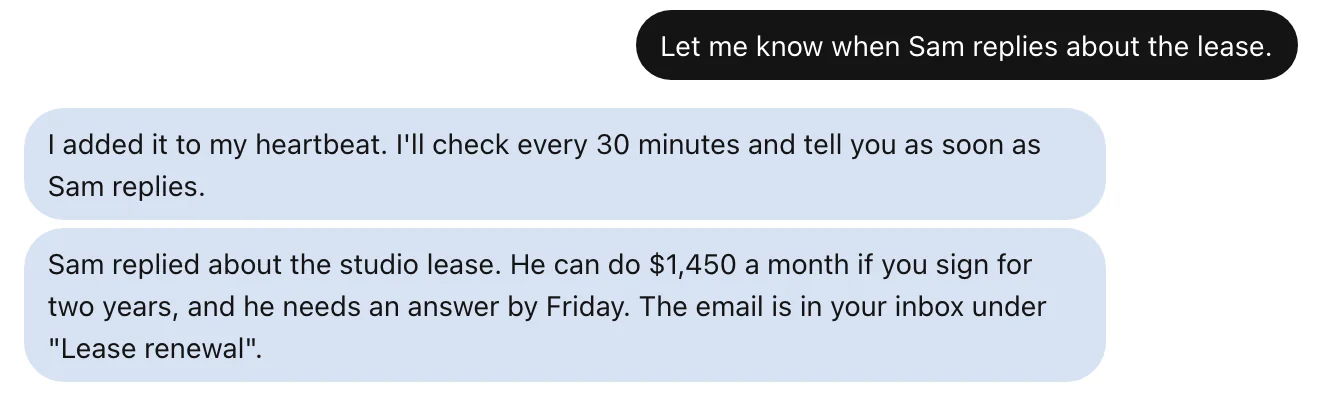
Maya asks Scout to tell her when Sam replies about the lease. Scout adds it to its heartbeat, and later writes that Sam replied with an offer.

A heartbeat every 30 minutes

Give a bot a checklist: a reply you are waiting on, a delivery, a price. Day and night it looks each one up in its memory, its connectors, and the web, and stays quiet unless something needs you. Then it writes one short message and your phone lights up.
Read more

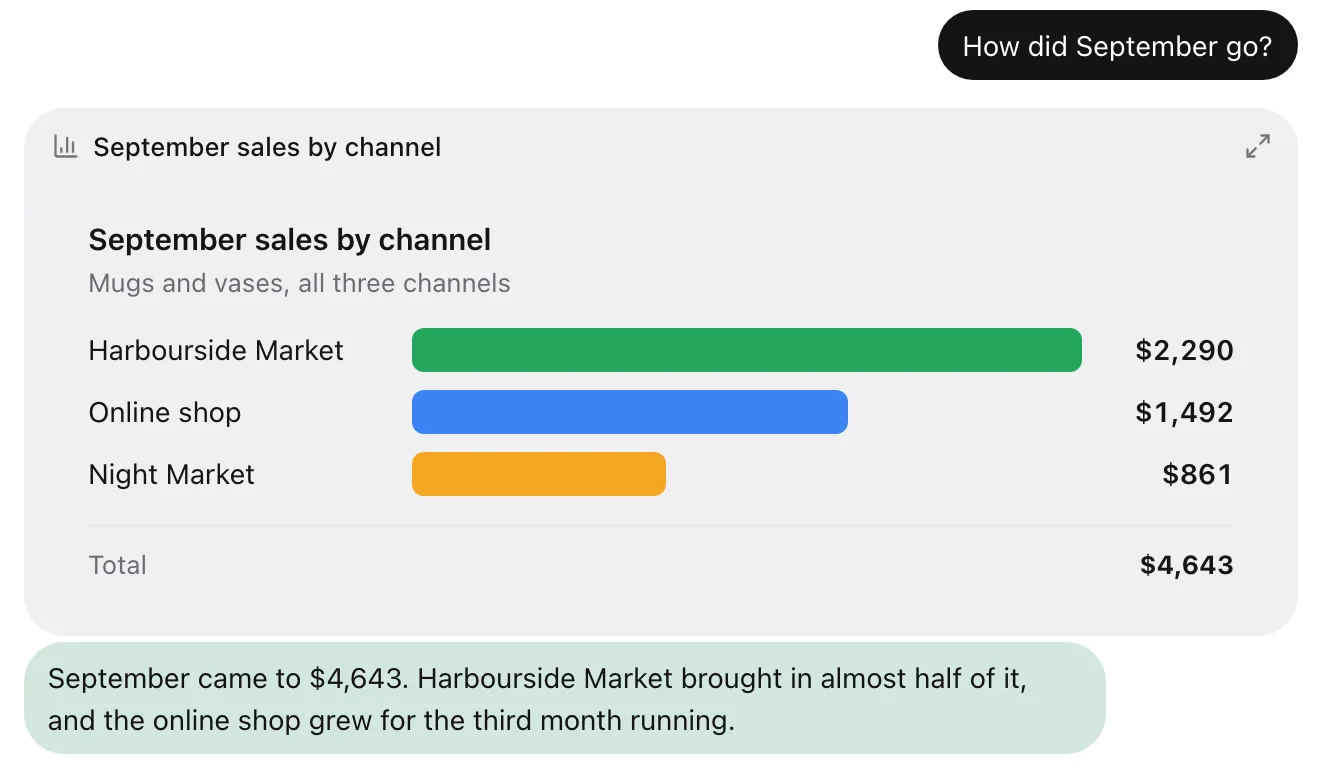
Ledger answers "How did September go?" with a bar chart of September sales by channel: Harbourside Market $2,290, Online shop $1,492, Night Market $861, total $4,643.

Charts in the chat

When a table or a chart says more than a paragraph, the bot draws one above its reply. Hover it, click it, and expand it into a tab beside the chat. It runs sandboxed and follows your light or dark theme.

Read more

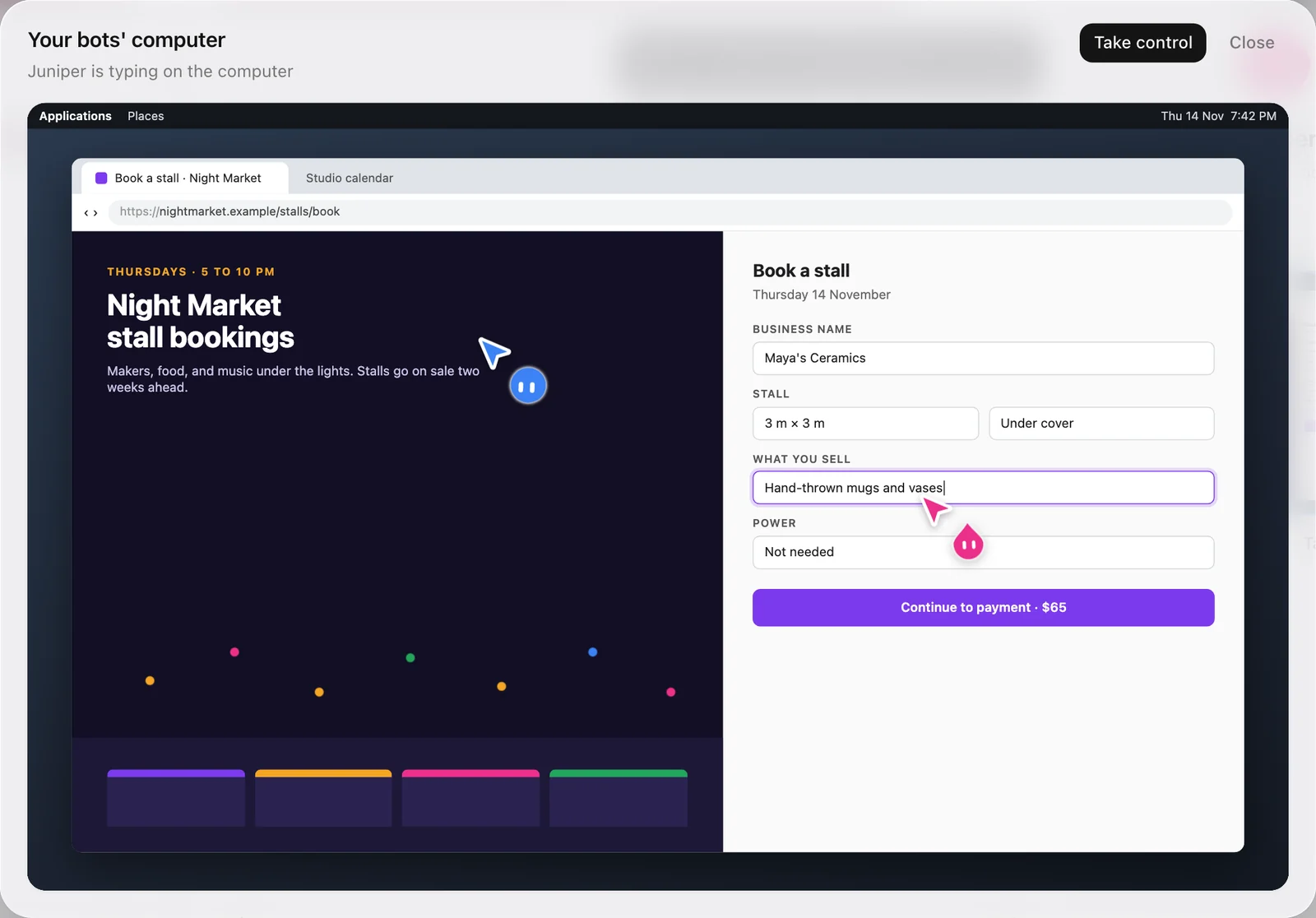
Your bots' computer, open large: a Linux desktop with a Night Market booking form. Juniper's cursor, wearing its pink face, types in a field while Scout's blue cursor waits. Take control sits at the top.

A computer your bots share, and so do you

Bots get their own Linux desktop with a browser and a terminal, apart from yours. Watch it live from any app or phone. Each bot moves a cursor with its own face, and they take turns. Click and type there alongside them, or pause them to drive alone.

Read more

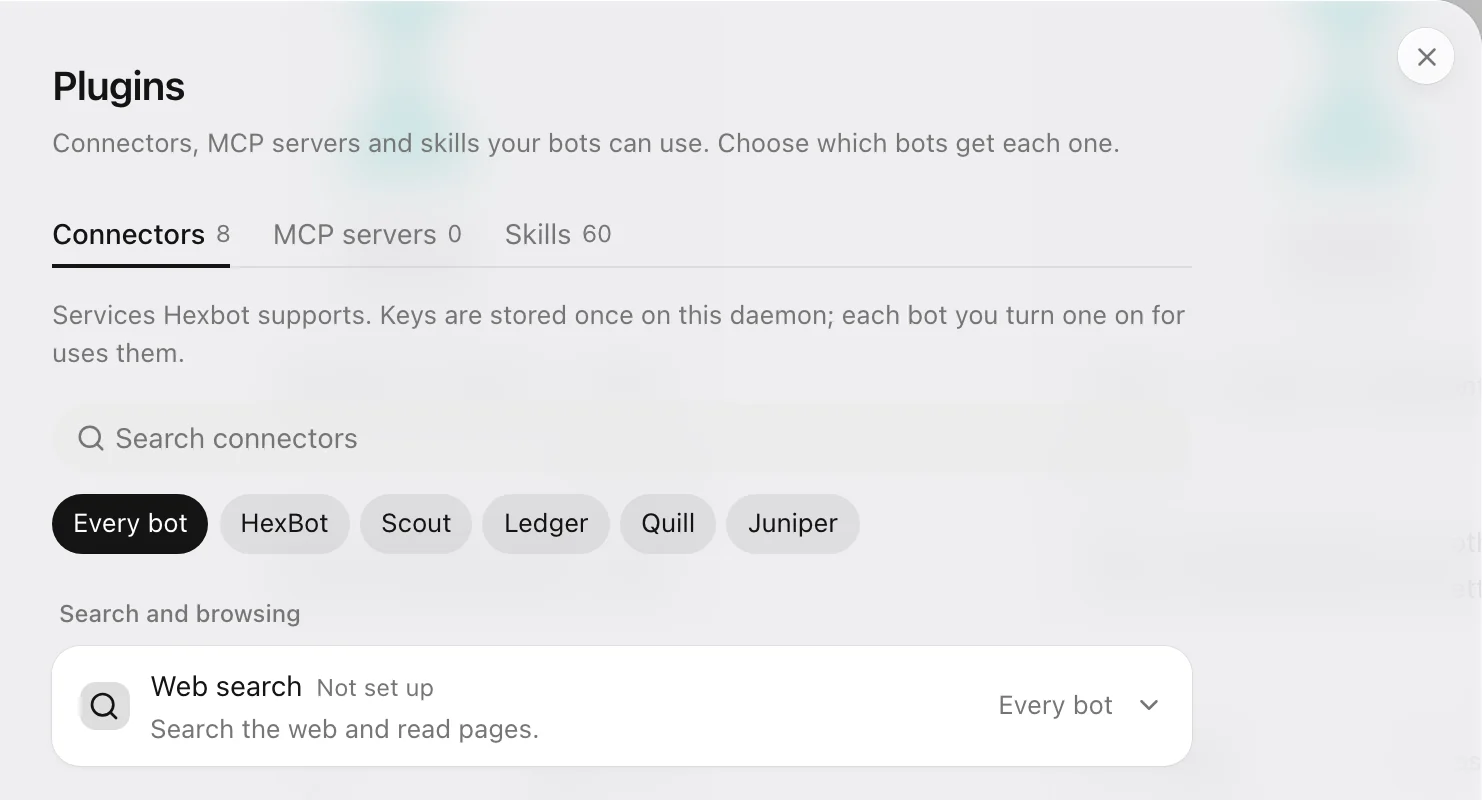
Settings, Plugins: tabs for Connectors, MCP servers and Skills, a search field, a row of bots to filter by, and connectors such as web search, each on for every bot or off.

Plugins, on for the bots you choose

Connectors, MCP servers, and skills all live on one Plugins page, a tab each. Set one up once and pick which bots get it. A bot that needs something new finds it and asks first, every time, even in Bypass.

Read more

Maya hovers over her latest message, "Tell the café we can do 400 mugs by Friday", while Ledger is working. Copy and Recall buttons appear beside it.

Take your last message back

Sent the wrong thing? Recall it while the bot is still working on it. The bot stops, forgets it, and hands the text back to edit. The rest of the chat stays as it was, so the next reply still uses the prompt cache.

Read more

Faces that feel the work.

A face folds into dots while its bot thinks, turns into a pencil while it writes, and peers around while it searches. It also reacts to what happens, and Hexbot reads that from the conversation without asking the model, so it costs nothing. Turn on Sounds to hear a bot start, finish, or need you.

These are the app's own faces and motion, live: thinking, writing, searching, working, listening, and reactions from shy to celebrating.

And wherever you are.

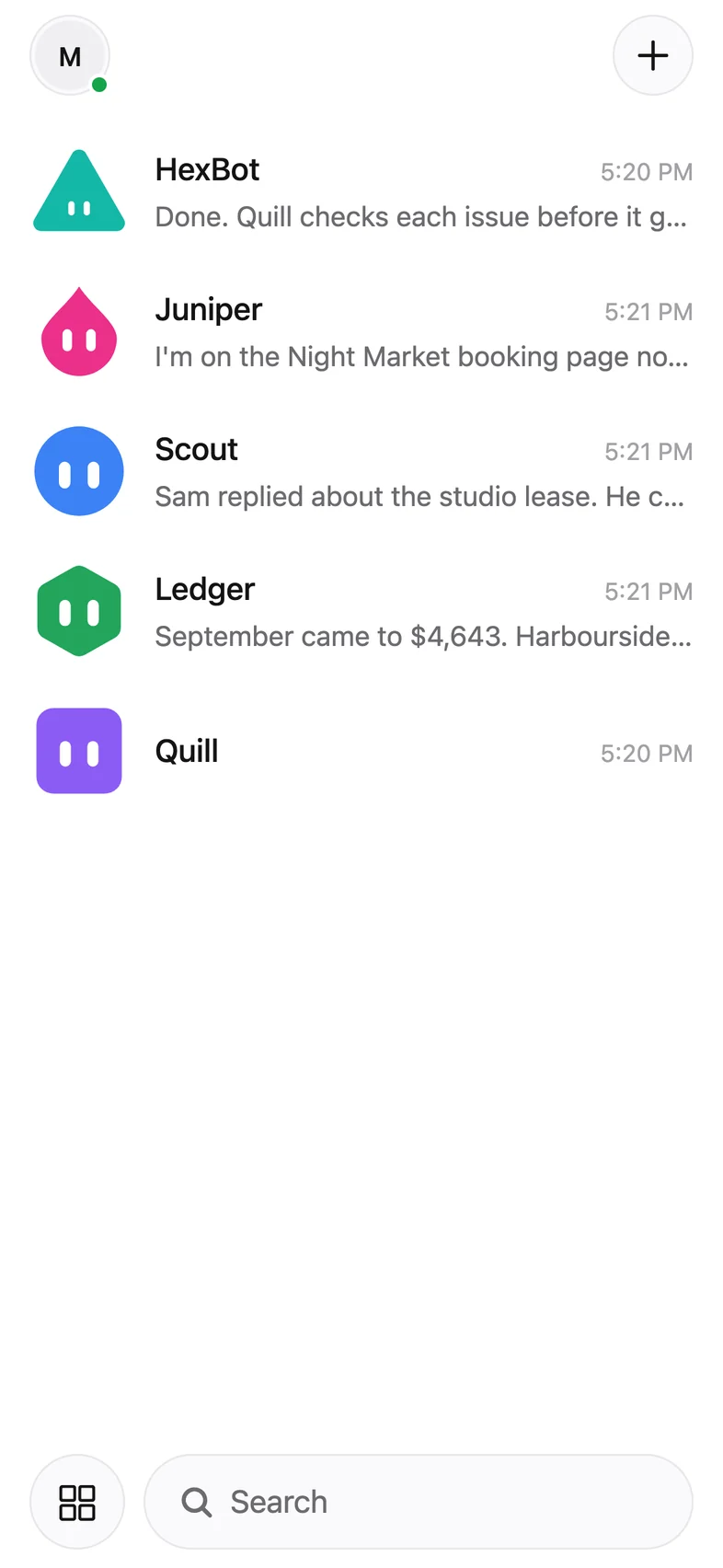
The Hexbot phone app: one list of chats with HexBot, Juniper, Scout, Ledger, and Quill, newest first, with Search at the bottom.Ledger's chat on the phone: September sales by channel as a visual card with Open, above Ledger's summary.

A messaging app for your bots

iPhone on TestFlight, open to everyone; Android built from source for now. One list holds every chat and room, newest first, with HexBot pinned. Approve steps, answer questions, and watch the computer from your pocket.

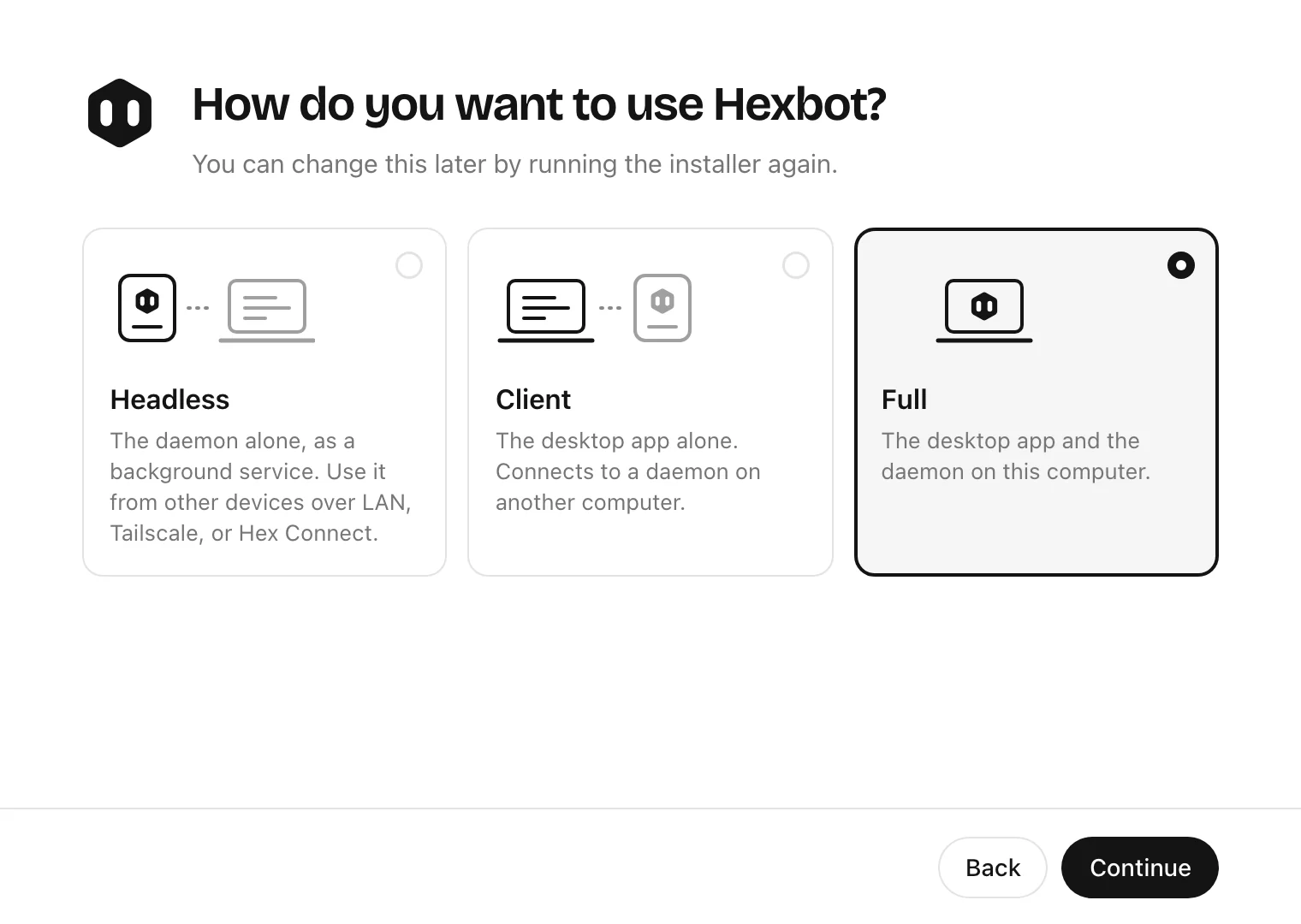
The Hexbot Installer asking how you want to use Hexbot, with Headless, Client, and Full, and Full chosen.

One installer, three ways

Full on the computer your bots live on, Client everywhere else, Headless for a server. From a window or one curl line, and it downloads only what you pick.

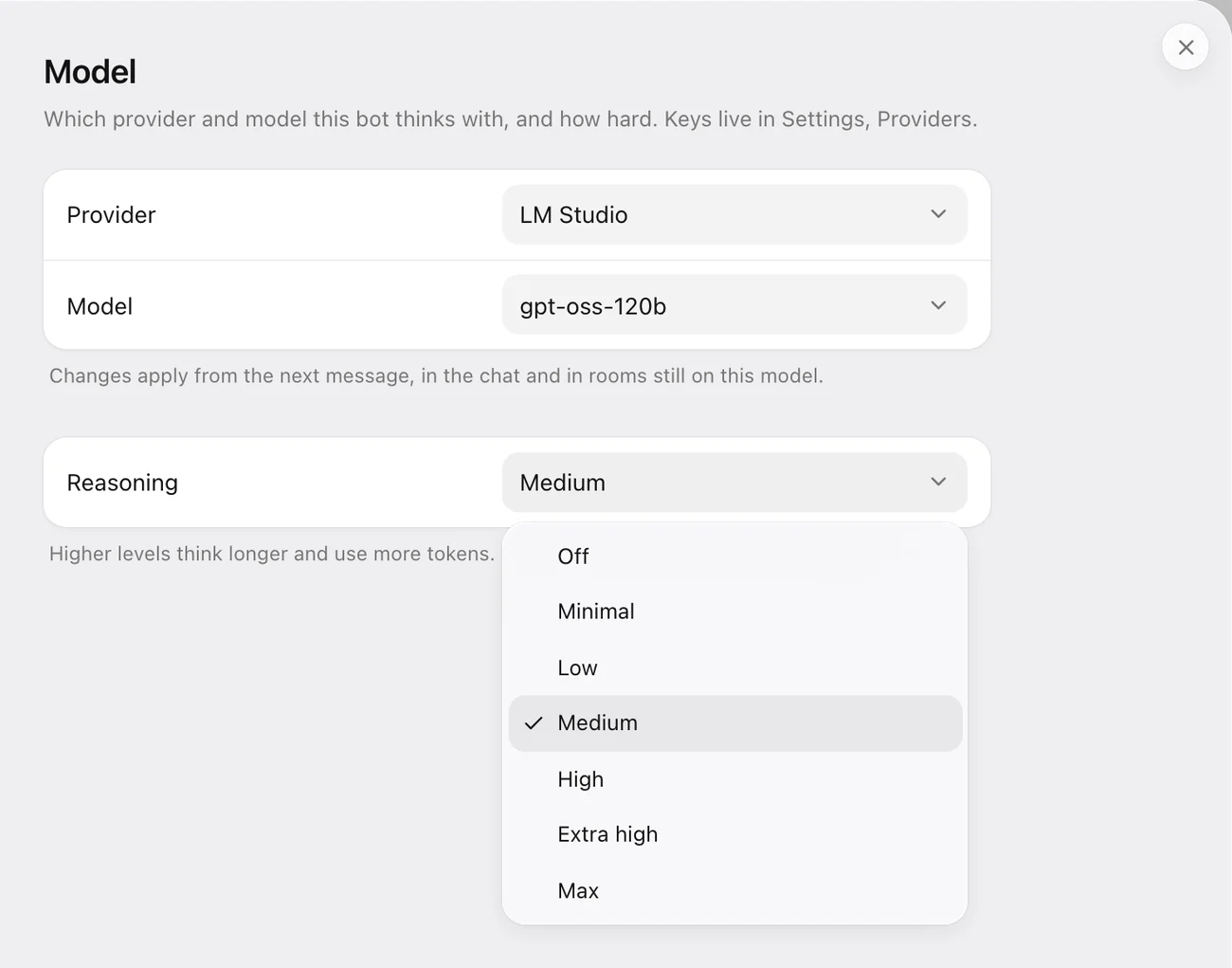
Ledger's model settings with the Reasoning menu open: Off, Minimal, Low, Medium, High, Extra high, and Max.

Choose how hard each bot thinks

Set each bot's reasoning from Off to Max. The list shows only the levels its model supports, so quick bots stay quick and the bookkeeper can take its time.

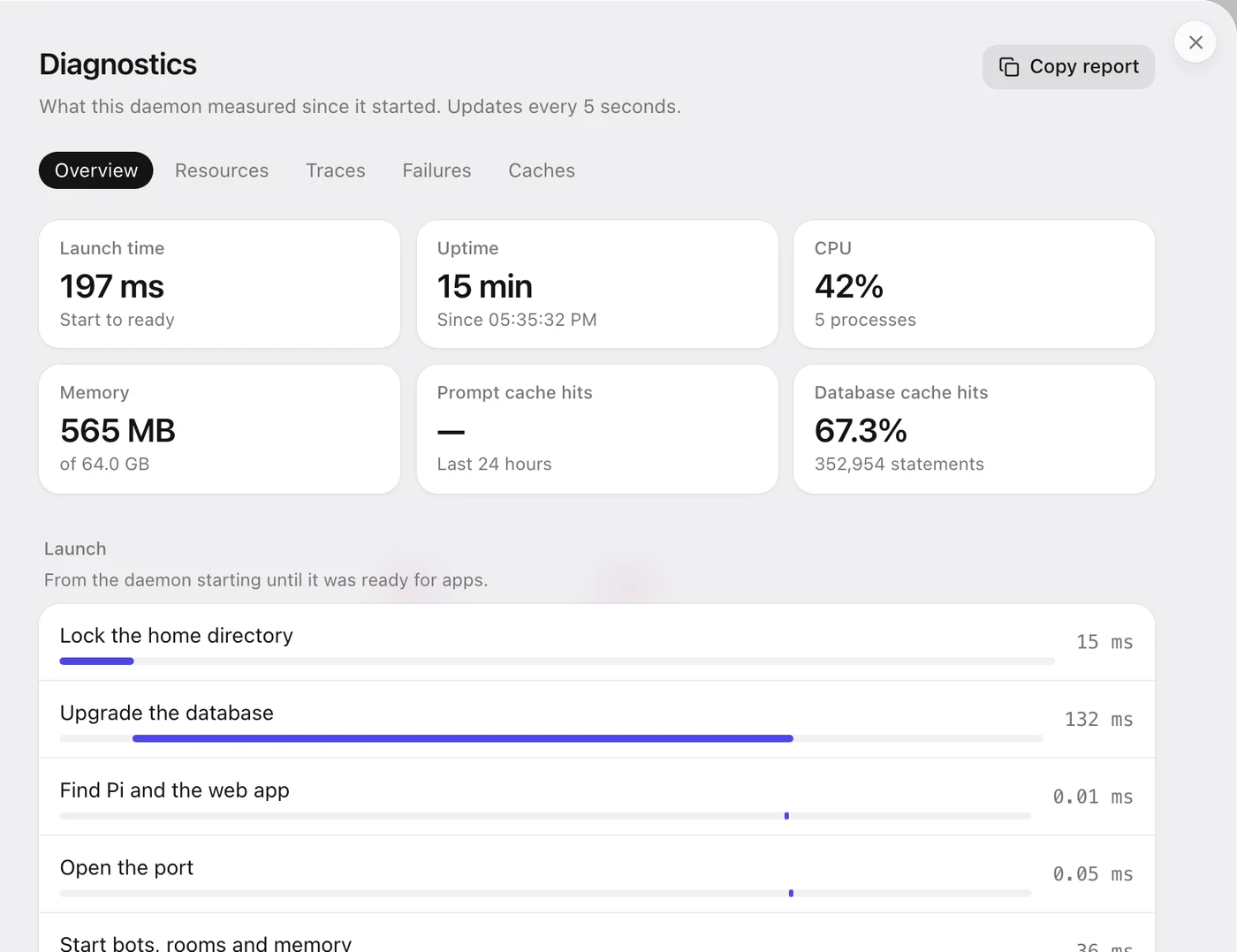
Settings, Diagnostics: launch time, uptime, CPU, memory, and cache hit rates, above a waterfall of each launch step.

See what the daemon is doing

Launch time, CPU and memory over the last hour, a waterfall for every run, failures, and how often the prompt cache hits.

Close the window and your bots keep working. Replies and heartbeats still arrive as notifications, and the app keeps running until you choose Quit.

From hello to a working crew.

How it works, step by step
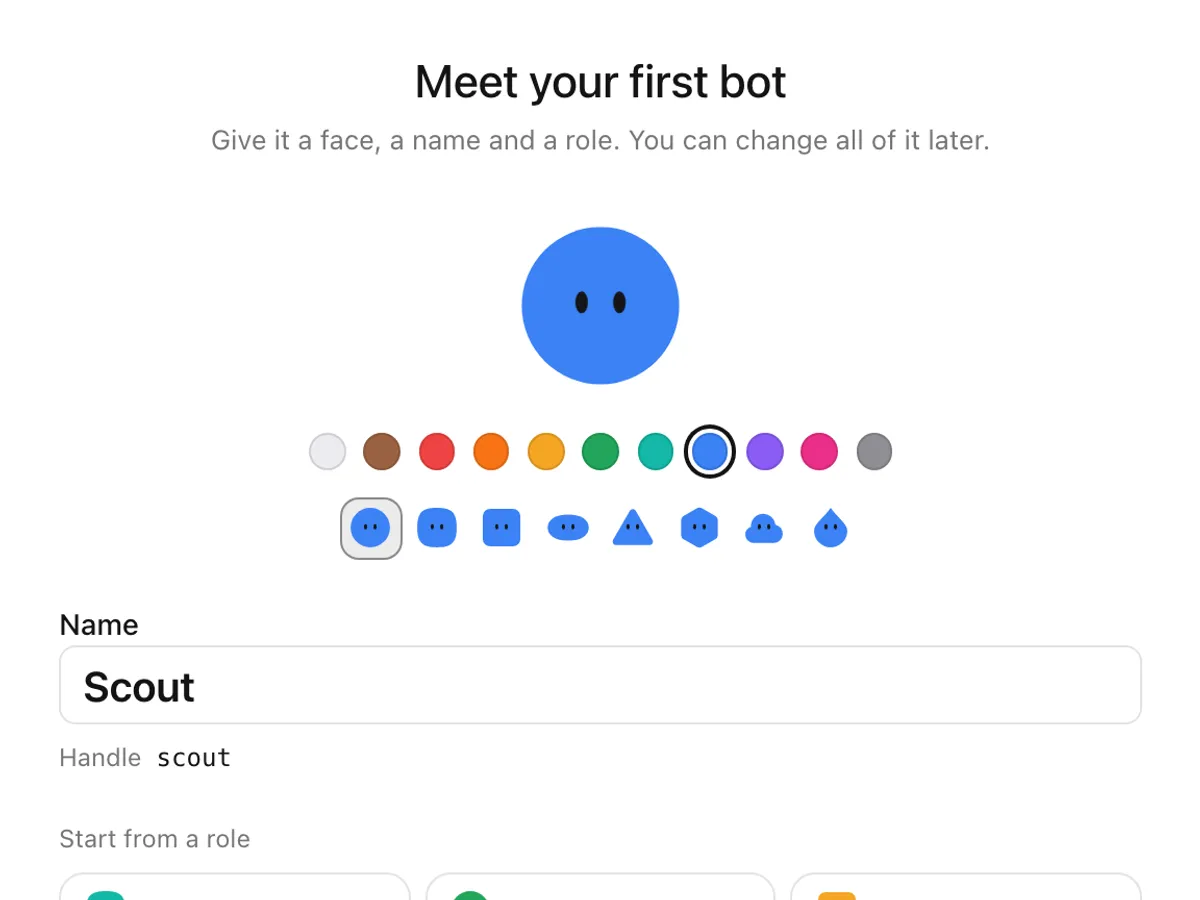
  1. The Hexbot bot builder with a blue round face named Scout.
    1

    Give it a face and a name

    Pick a shape, a colour, a role, and the model it runs on.

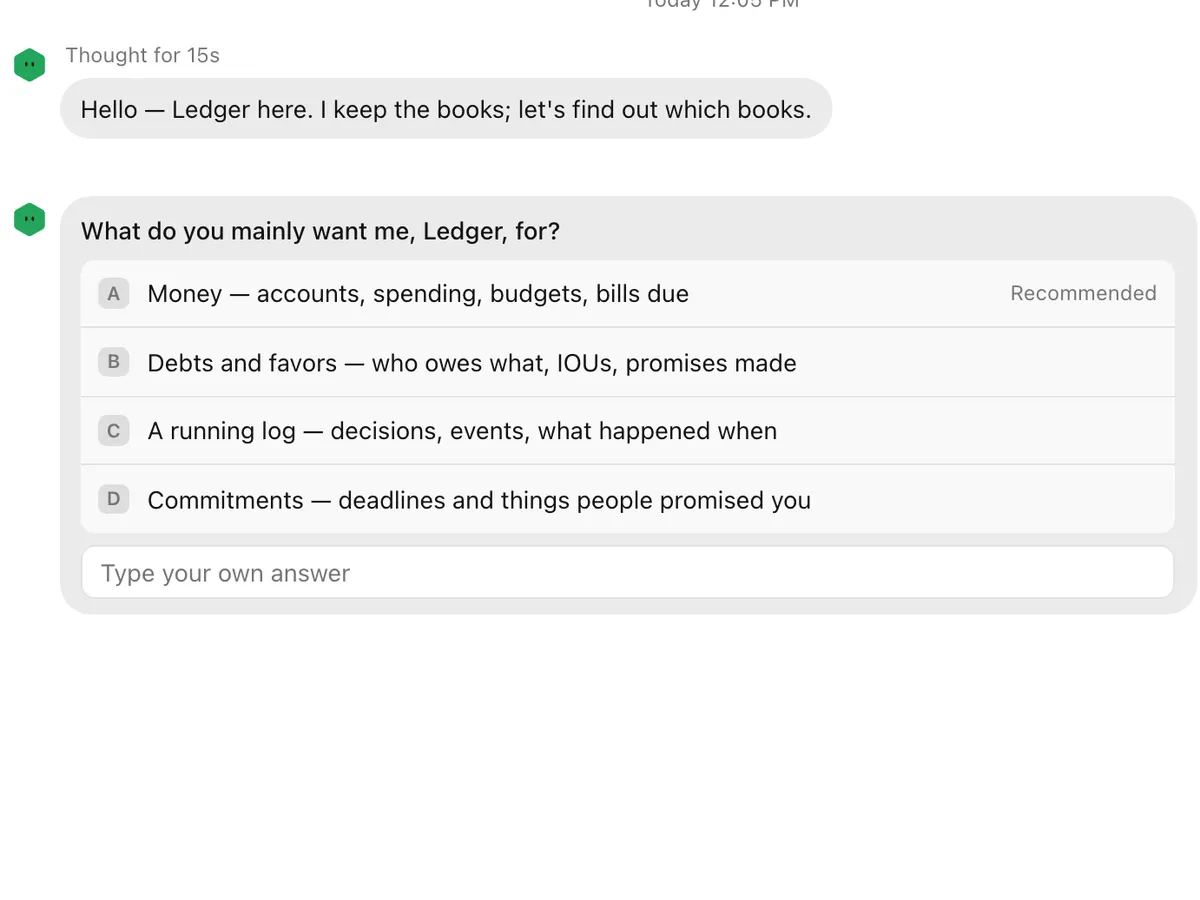
  2. Ledger asking what it should mainly be used for, with four suggested answers.
    2

    It interviews you

    A new bot asks a few questions, then writes its own soul and memory from your answers.

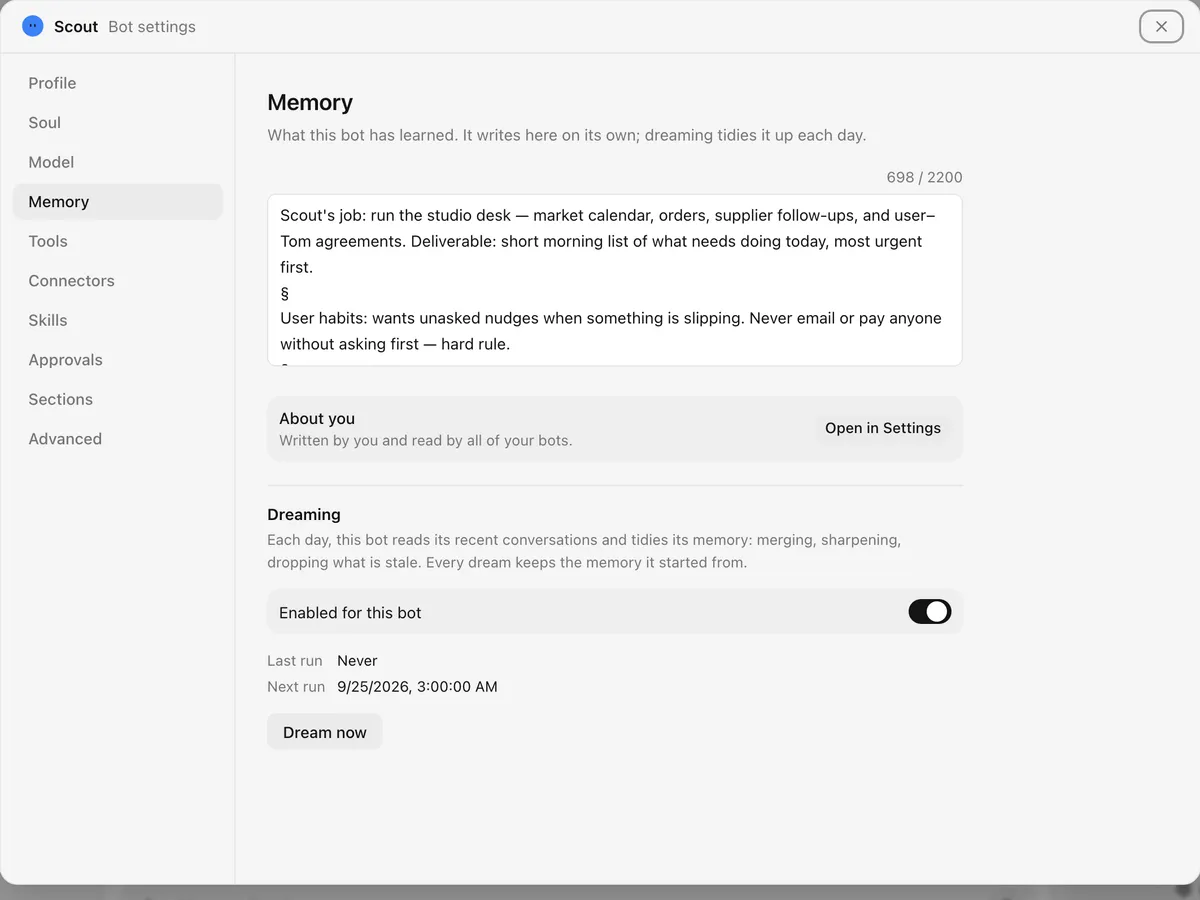
  3. Scout's memory settings showing its notes and the daily dreaming schedule.
    3

    It remembers

    Each bot keeps notes you can read and edit, and tidies them every night.

Real tools, on your own computer.

Every tool and connector

On your computer

  • Terminal
  • Files
  • Computer Use
  • Vision
  • Voice

Working together

  • Rooms
  • Heartbeat
  • Visuals
  • Message other bots
  • Scheduling
  • Look after other bots

Memory and self

  • Memory
  • Daily notes
  • Soul
  • About you
  • Search past chats
  • Skills

Plugins

  • Web search
  • Notion
  • GitHub
  • X search
  • MCP servers
  • Plugin packages

Your data stays on your hardware.

Conversations, memory, files, and provider keys live in ~/.hexbot on the machine running the daemon. Bring your own API key or a subscription you already pay for, from more than 50 model providers.

  • ApprovalsBots work inside a sandboxed workspace. Anything outside it, from internet access to a file change elsewhere, waits for you.
  • Signed updatesDaemon and installer updates install only if Hexbot's release key signed them.
  • Devices you can revokeEvery paired phone and laptop appears in settings with a revoke button.
  • Delete means deleteDeleting a bot removes its chat, memory, and notes for good.
  • Connect stays out of the wayHex Connect brokers your identity and a hostname. Chat traffic never passes through it.

Open source, top to bottom.

Source on GitHub

Every part is public

The daemon, the desktop and mobile apps, the installer, Hex Connect, and this website.

Apache-2.0

Use it, change it, and ship it, at home or at work, with a patent grant. Bundled skills keep their MIT license.

Run it from source

Clone the repository and run your own build.

Even Connect

The one cloud piece is open too. You can run your own instance.

Try the alpha.

Hexbot is in very early development, and for now it ships only as nightly builds: a new one each day the code changes, and your copy updates itself. Expect rough edges, and tell us what breaks.

Download nightly for Mac
More options

Hexbot for Mac

Apple Silicon or Intel. Updates itself.

Hexbot for Linux

An AppImage for any distribution, or a deb for Debian and Ubuntu. Updates itself.

Hexbot for Windows

An .exe for Windows 10 or later, 64-bit. Updates itself.

Hexbot Client

Just the app, for a second computer that connects to the one running your bots.

Earlier nightly builds